Reports
Open MenuLoom → Reports and choose a date range. Every report on the page follows that range.
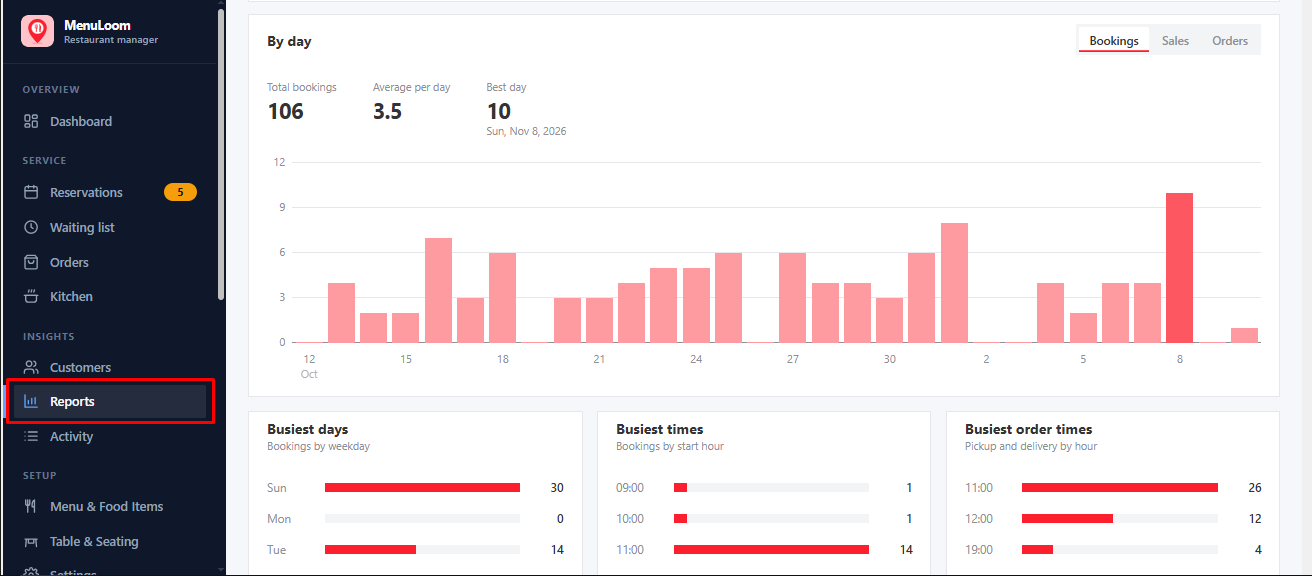
- Charts of bookings and orders per day.
- Lists of your orders and customers in the period.
- Breakdowns that help you see what sells.
Choose a start date that is not after the end date, or the report asks you to correct it.
Advanced reports PRO
MenuLoom Pro lets you compare periods and branches, and export reports to PDF and Excel.
Was this article helpful?Thanks for your feedback.