How to Add MenuLoom to a Page
MenuLoom shows on your website through shortcodes. Settings → Shortcodes lists every one with a Copy button.
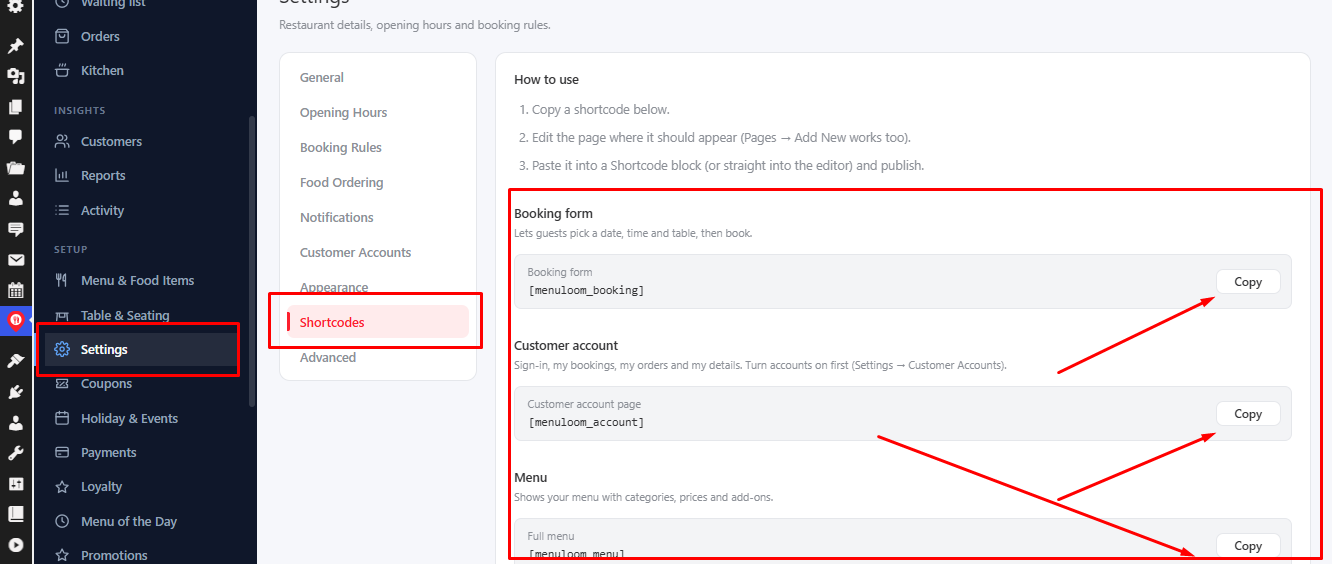
- Copy a shortcode from Settings → Shortcodes.
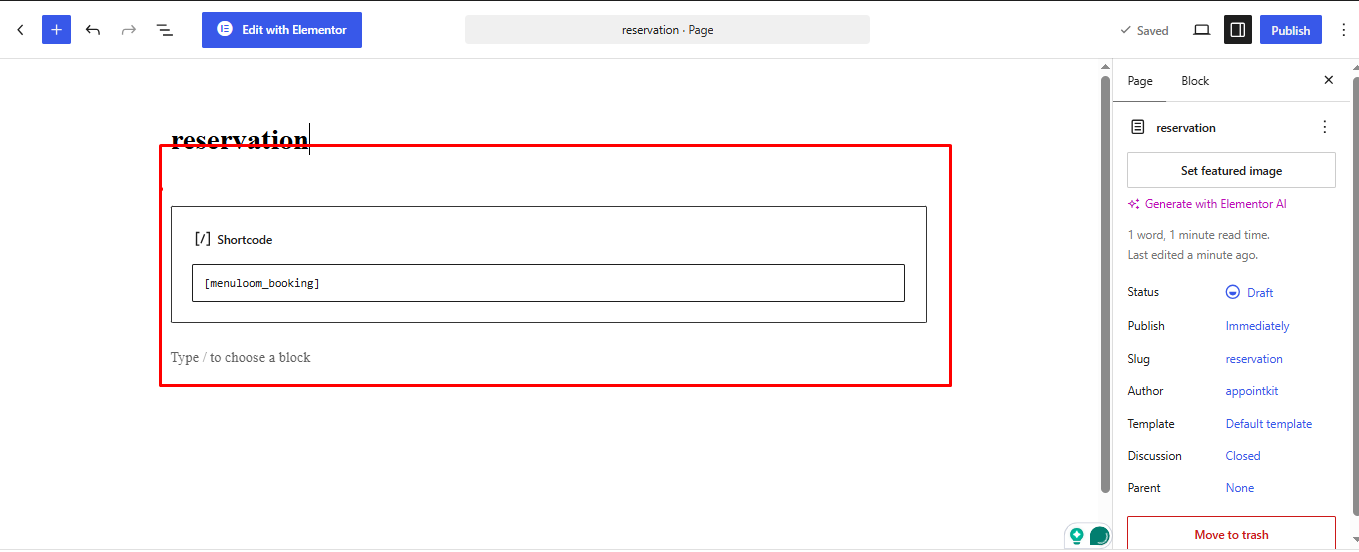
- Edit the page where it should appear, or create one with Pages → Add New.
- Paste it into a Shortcode block, or straight into the editor.
- Publish the page.
| Shortcode | Shows |
|---|---|
[menuloom_booking] | The table booking form. |
[menuloom_menu] | Your menu with categories and prices. |
[menuloom_food_grid] | Every dish as a card in a grid. |
[menuloom_account] | The customer account page. |
Elementor? PRO
MenuLoom Pro adds Elementor widgets for the menu, the booking form and the food grid.
Was this article helpful?Thanks for your feedback.