Add Categories
Categories group your dishes inside a menu, for example Starters, Mains and Desserts. You need a menu first.
Add a Category#
- Open Menu & Food Items → Categories.
- Click Add Category.
- Choose the Menu it belongs to, enter a Name and an optional Description.
- Click save.
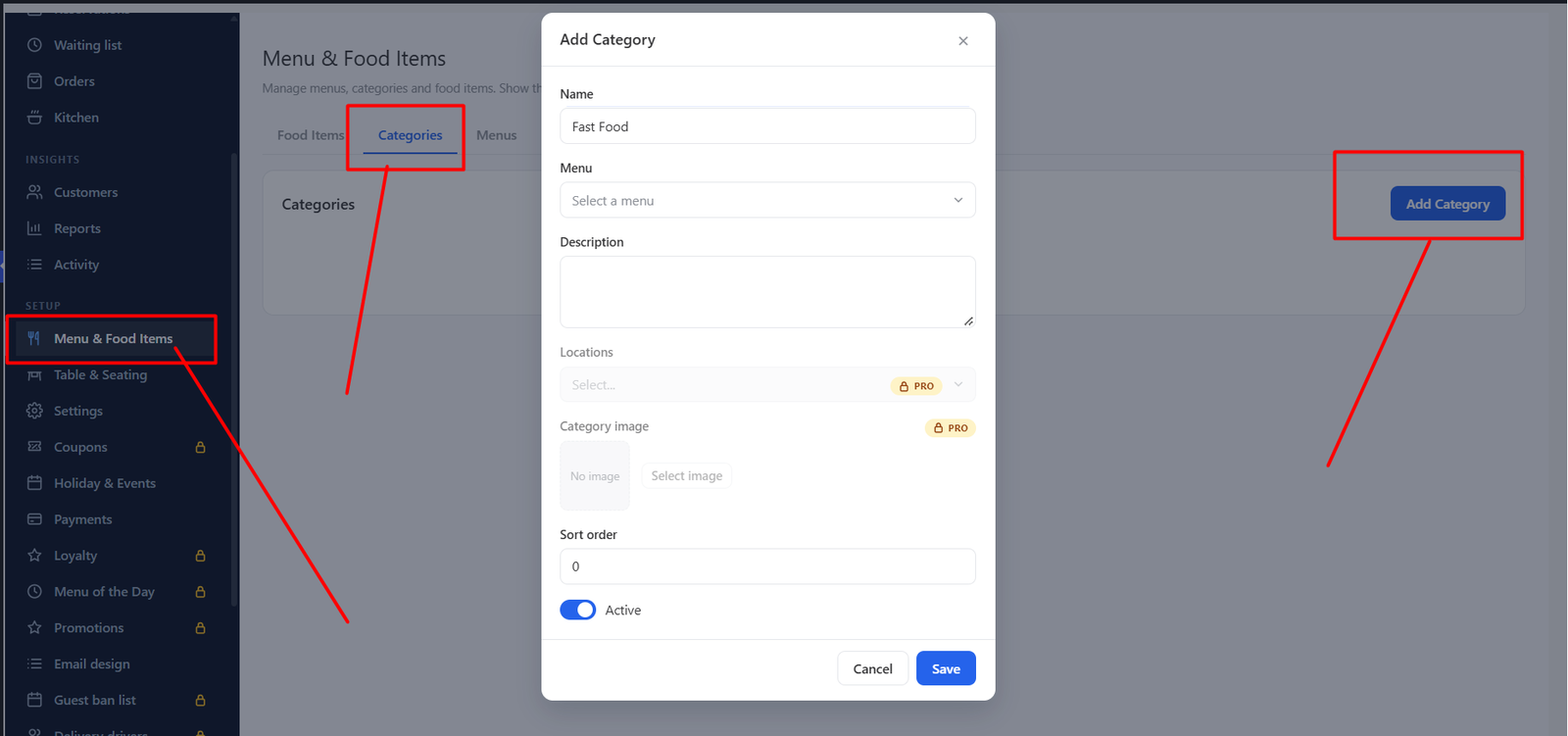
| Field | What it does |
|---|---|
| Menu | The menu this category sits in. |
| Name / Description | Shown above the dishes on your website. |
| Category image PRO | A picture shown above the category on the public menu. |
| Active | Hide a category without deleting it. |
| Sort order | Controls the order of categories. |
On your website, categories become the filter tabs above the dishes.
Was this article helpful?Thanks for your feedback.