Add-on Groups
An add-on group is a list of extras guests can add to a dish, for example Toppings or Sauces. You create the group once and attach it to as many dishes as you like.
Create a Group#
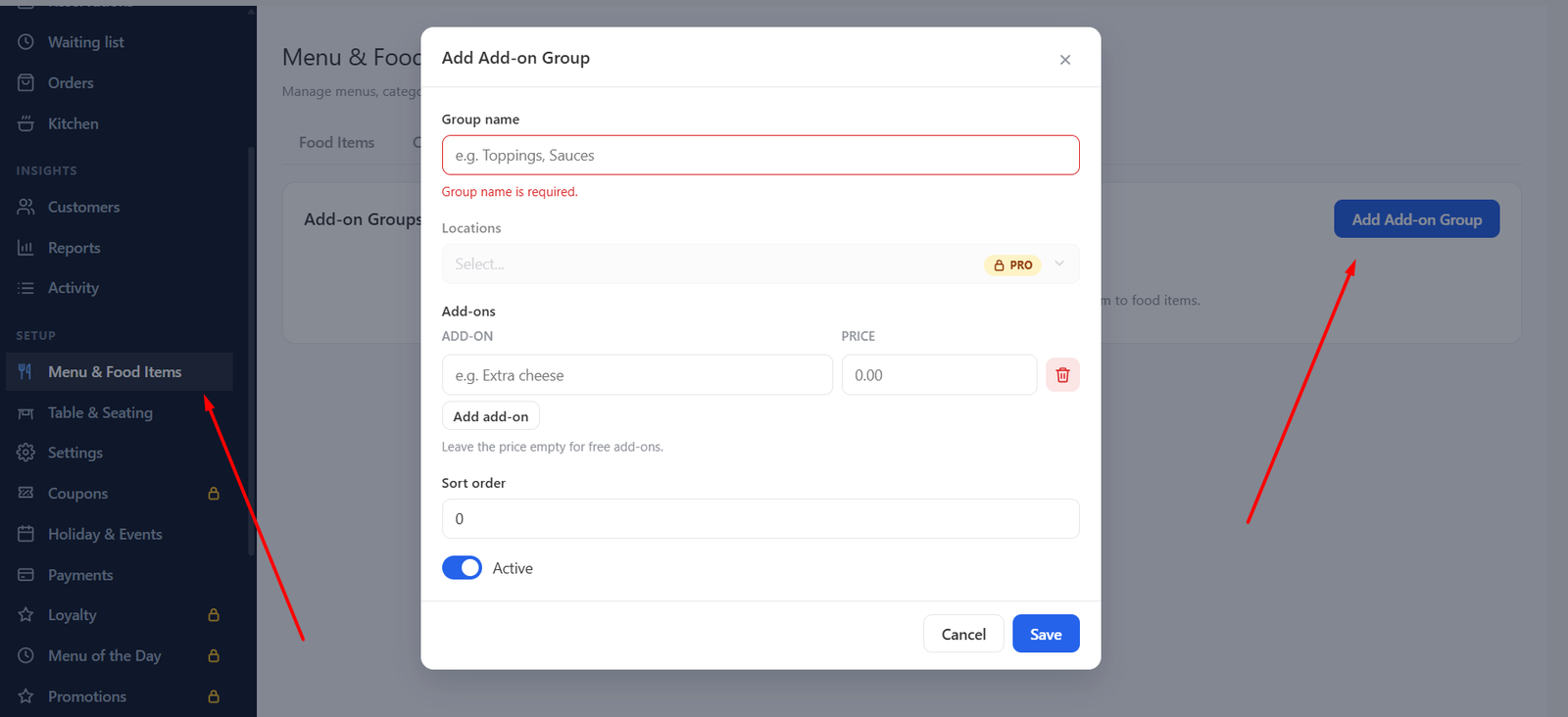
- Open Menu & Food Items → Add-ons.
- Click Add Add-on Group and enter a Group name.
- Add your Add-ons, each with a name and a price. A price of 0 shows as “Free”.
- Choose how many a guest may pick: a minimum makes the group required, a maximum limits the choice, and neither makes it optional.
- Save.
Attach It to a Dish#
Open a food item and choose the group in its add-on section. Guests then pick add-ons when they order. In the cart the price of each add-on is added to the dish.
The group’s Active switch and Sort order work like they do for menus and categories.
Was this article helpful?Thanks for your feedback.