Loyalty Points
Needs MenuLoom ProThis feature is part of the Pro add-on. Without it the page opens as a locked preview.
Go to MenuLoom → Loyalty. Customers earn points on completed orders and spend them as a discount at checkout.
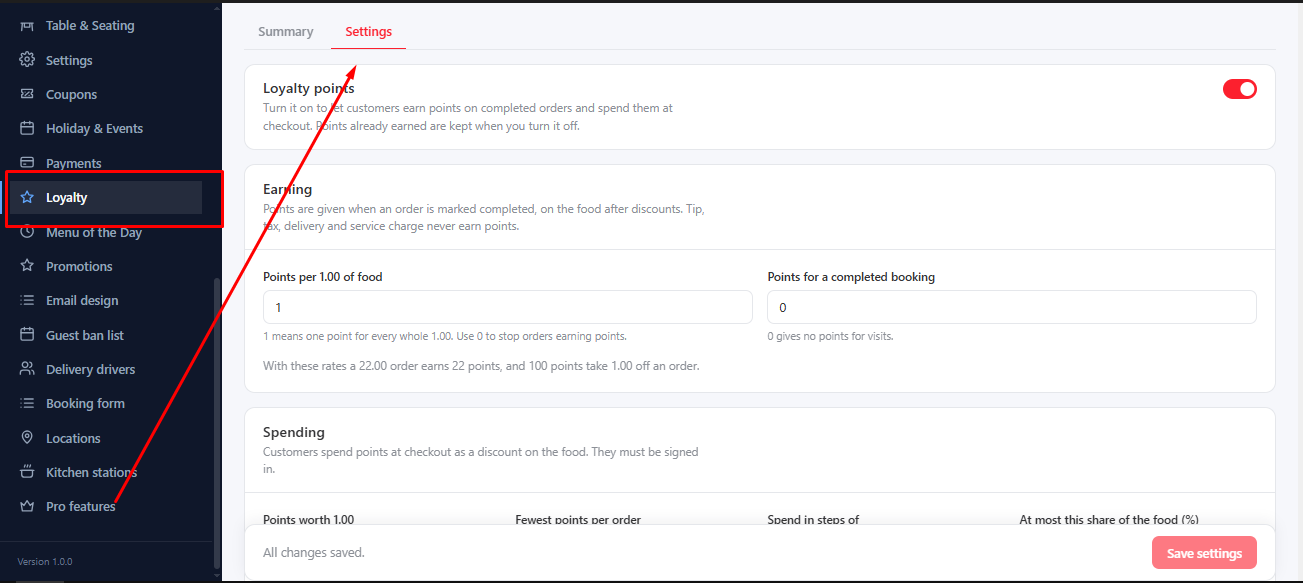
Earning#
- Points per 1.00 of food and Points for a completed booking.
- Optional Silver and Gold levels. Each starts at a number of earned points and earns points a number of times faster.
Spending#
- Points worth 1.00 and Spend in steps of.
- Fewest points per order and At most this share of the food (%) keep spending sensible.
- Allow points together with a coupon.
- Expire after (months) for points that should not last forever.
Summary#
The Points tab shows the points outstanding, issued and expired, and the customers with the most points.
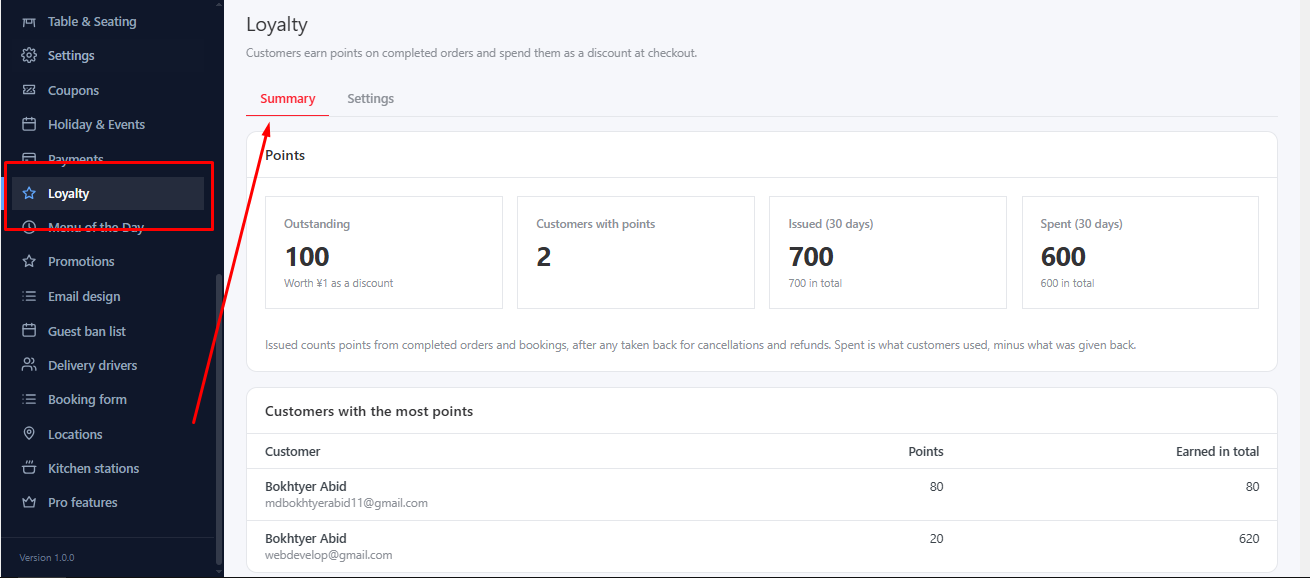
Open a customer to Add or take points. A reason is required, so every change is explained.
Was this article helpful?Thanks for your feedback.