Block Tables for a Private Event
Use a block when tables should not be booked: a private event, maintenance or a staff meeting. Guests will not be able to book those tables during the block.
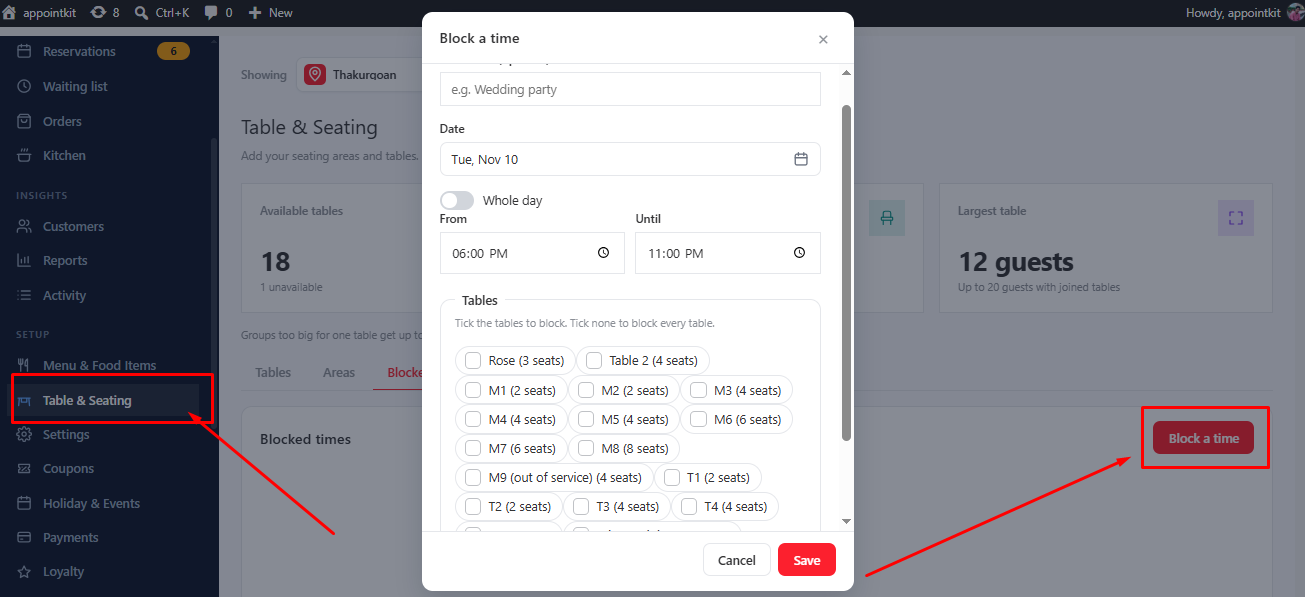
- Go to Table & Seating → Blocked times.
- Click Block a time.
- Choose the tables, the Date and the times From and Until. Tick Whole day to block the full day.
- Optionally write what it is in What is it? so your team knows why.
Check the bookings already made for that time in Reservations.
Closing the whole restaurant?
For a full closed day use Holiday & Events instead. See Holiday and special events.
Was this article helpful?Thanks for your feedback.