Appearance and Colors
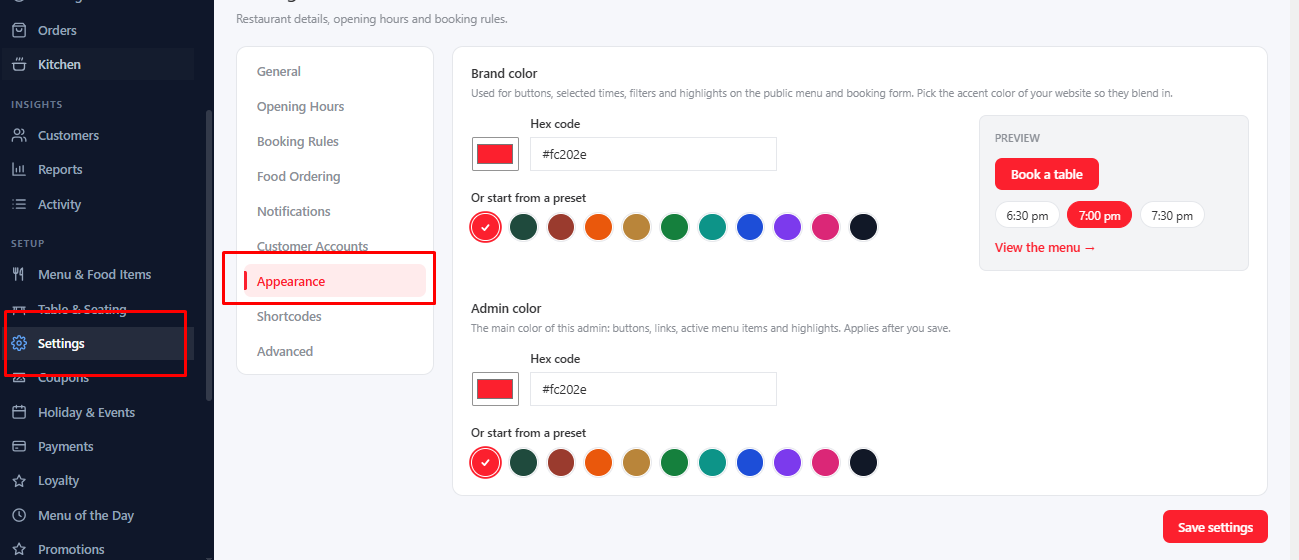
Go to Settings → Appearance. There are two colors.
Brand Color#
The accent color of your public pages: buttons, selected times, filters and highlights on the menu and the booking form. Pick the color of your website so they blend in. Choose a preset, use the color picker, or type a hex code like #fc202e. The preview shows how a button and time chips will look.
Admin Color#
The main color of the MenuLoom admin itself: buttons, links and active menu items. Choose a preset or type a hex code. The new color shows as soon as you save.
The default for both is MenuLoom red, #fc202e.
Was this article helpful?Thanks for your feedback.