Coupons and Discounts
Needs MenuLoom ProThis feature is part of the Pro add-on. Without it the page opens as a locked preview.
Go to MenuLoom → Coupons. It lists your discount codes and lets you add new ones.
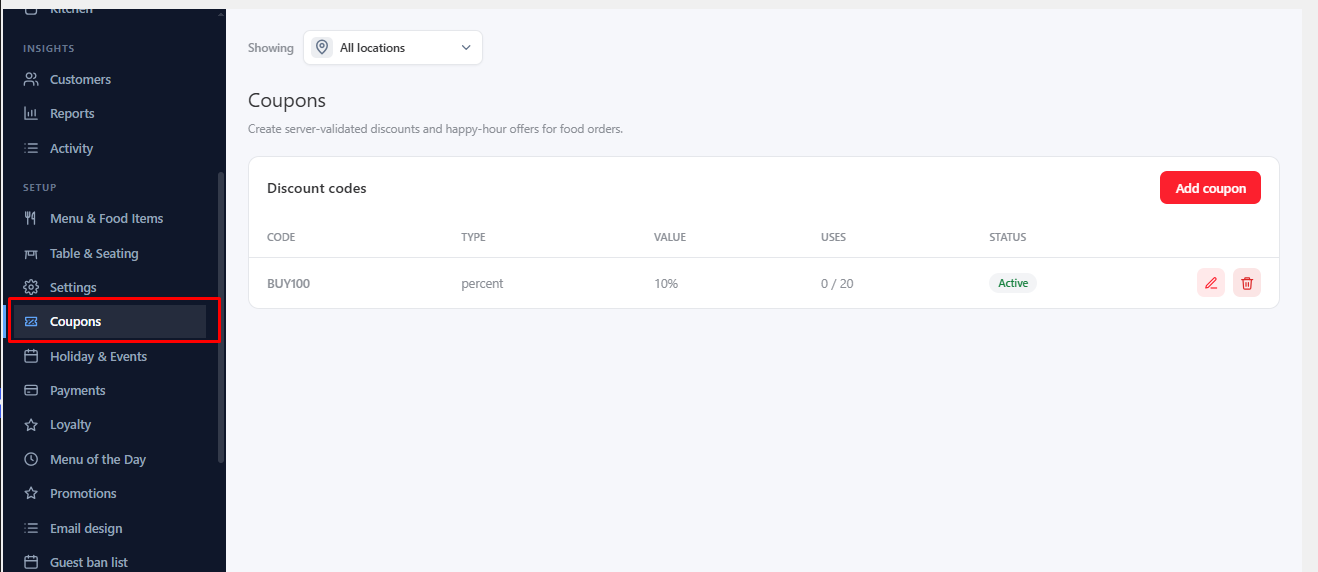
Add a Coupon#
- Click Add coupon.
- Enter a Code and choose the Type (a percent, a fixed amount or free delivery).
- Set the limits you want, then save.
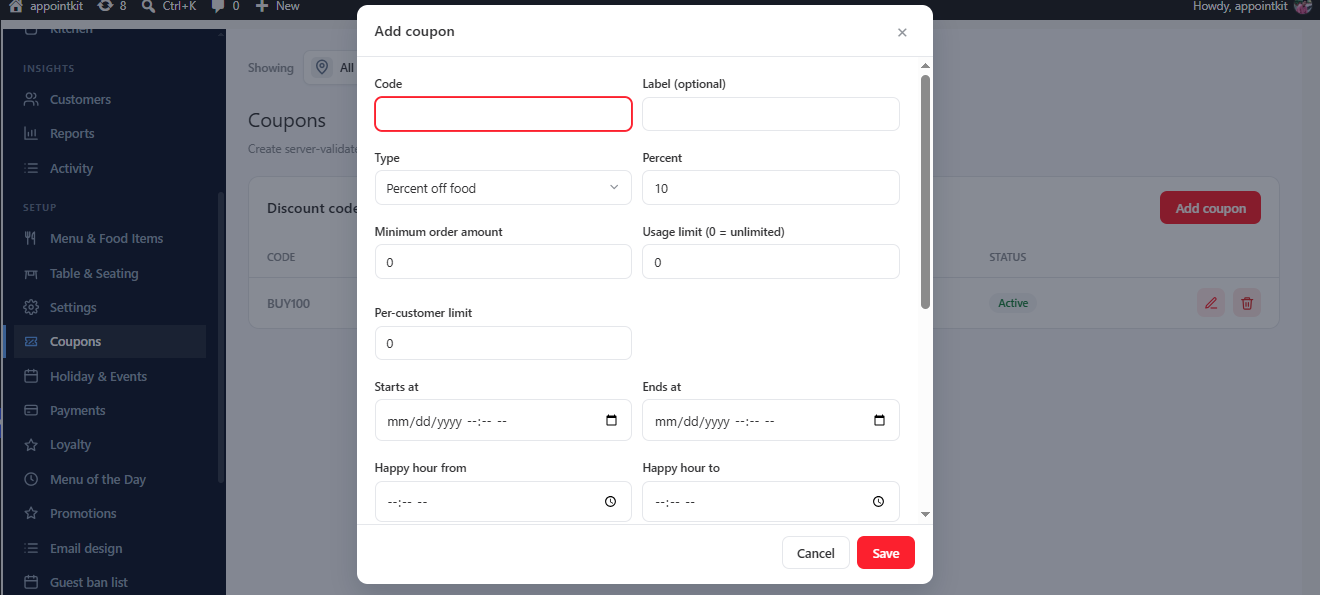
| Field | What it does |
|---|---|
| Minimum order amount | The order total needed to use the coupon. |
| Usage limit (0 = unlimited) | How many times it can be used in total. |
| Per-customer limit | How many times one customer can use it. |
| Starts at / Ends at | The dates the coupon works. |
| Active | Switch off to pause a coupon. |
Happy-Hour Offers#
Switch on Apply automatically without a code and set Happy hour from and Happy hour to. The discount then applies on its own during those hours. Use Label (optional) to name it for customers.
Was this article helpful?Thanks for your feedback.