Create a Menu
Your menu has three levels: Menu → Category → Food item. A menu is the top level, for example Breakfast, Lunch or Dinner. Start here.
Add a Menu#
- Go to MenuLoom → Menu & Food Items.
- Open the Menus tab and click Add Menu.
- Fill in the fields below and save.
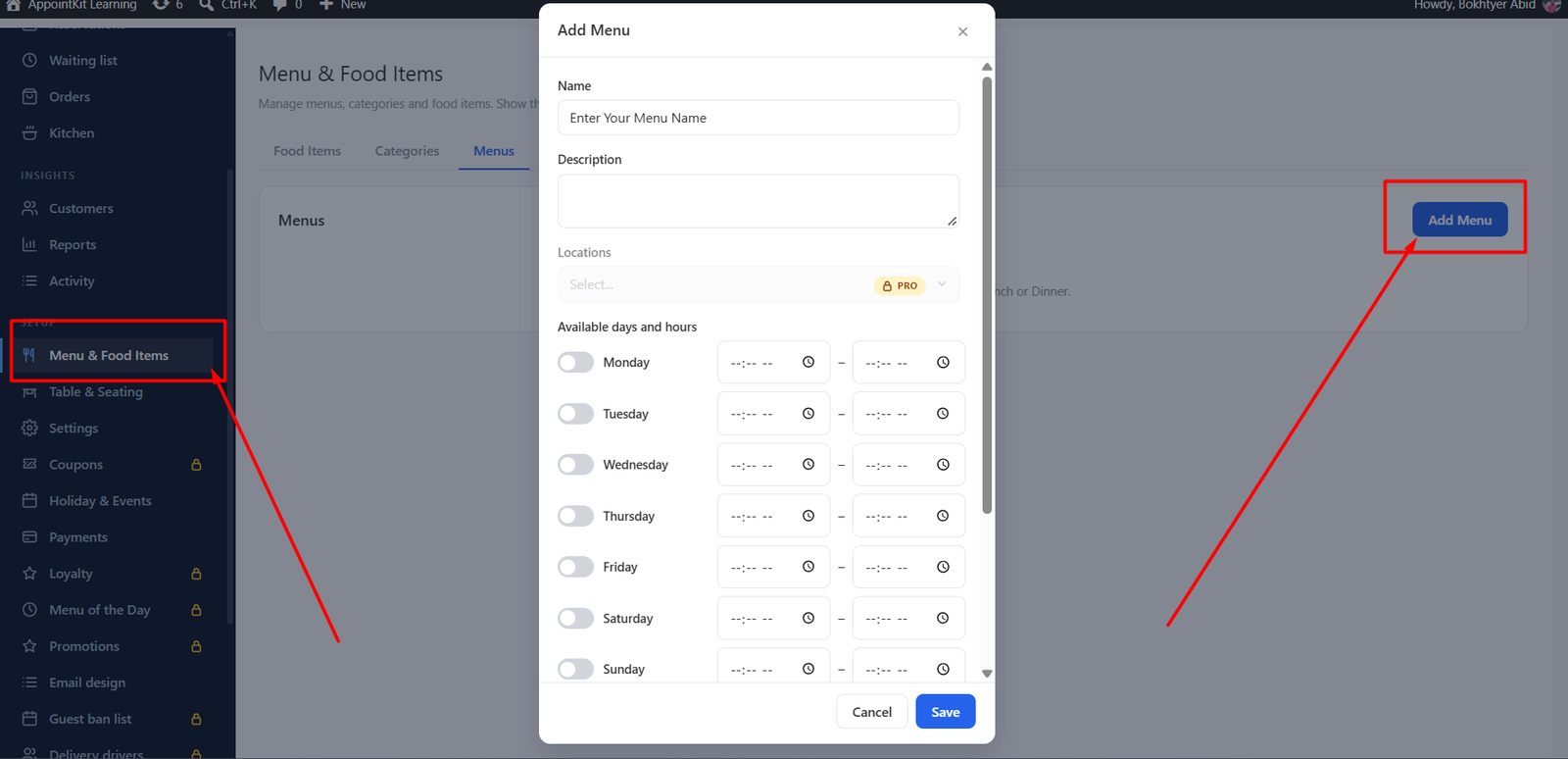
| Field | What it does |
|---|---|
| Name | The title guests see, for example “Dinner”. |
| Description | A short line shown under the title. |
| Active | Switch off to hide the whole menu without deleting it. |
| Sort order | Controls the order of your menus. |
One menu is enough
If you serve the same food all day, create one menu and use categories to organise it.
Next: add categories.
Was this article helpful?Thanks for your feedback.