Managing Orders
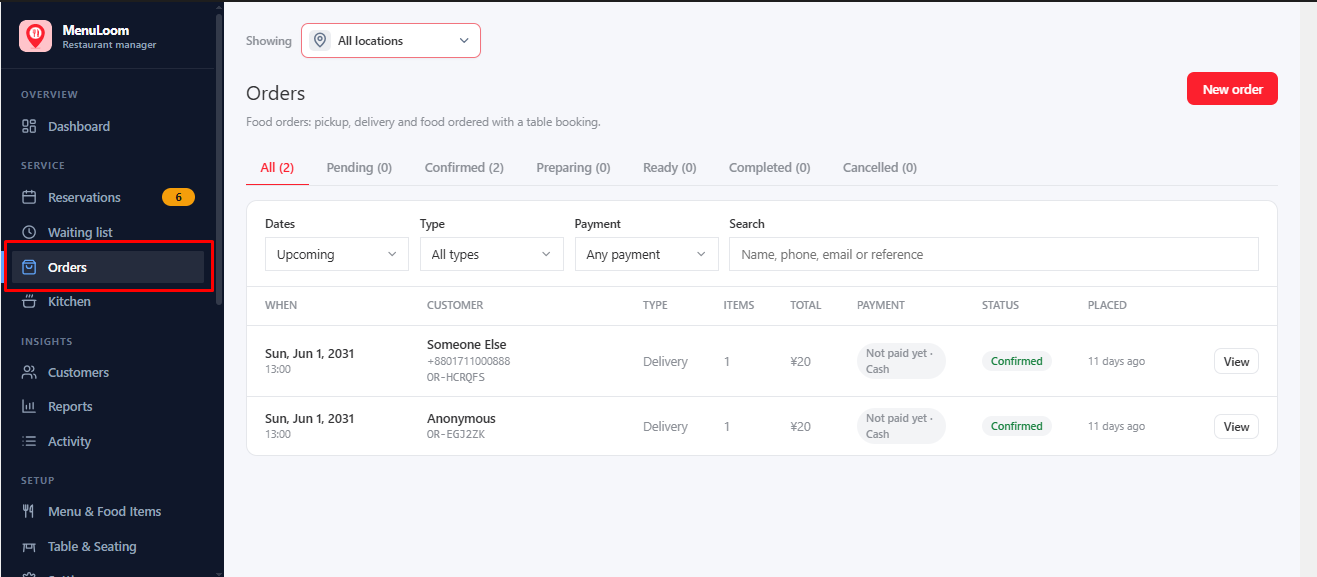
Orders from your website appear in MenuLoom → Orders. A badge shows how many are waiting.
Order Types#
- Pickup: the customer collects.
- Delivery: delivered to the customer.
- With booking: food ordered together with a table booking.
- Table (QR): ordered at the table by scanning a code PRO.
Order Statuses#
| Status | What you do next |
|---|---|
| Awaiting payment | Wait for an online payment, or Confirm (paid another way) if you took the money yourself. |
| Pending | Confirm the order, or cancel it. |
| Confirmed | Start preparing. |
| Preparing | Mark it ready when the food is done. |
| Ready | Shows as “Ready for pickup” or “Out for delivery”. Complete it when handed over. |
| Completed | Done. A delivery shows as “Delivered”. |
| Cancelled | The order was cancelled. |
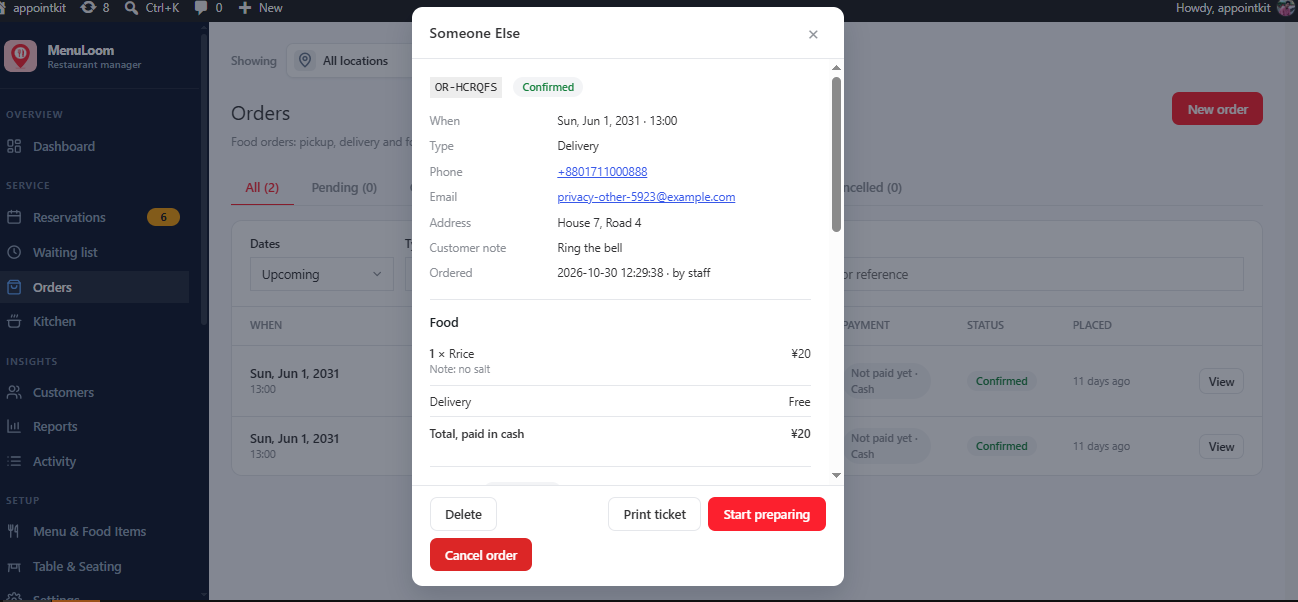
Open an order to see its items, the customer, and to cancel it with a reason. Use the filters to find orders by status, type or date.
Was this article helpful?Thanks for your feedback.