Multiple Locations
Needs MenuLoom ProThis feature is part of the Pro add-on. Without it the page opens as a locked preview.
Go to MenuLoom → Locations. Add each branch and choose whether it is Open to guests.
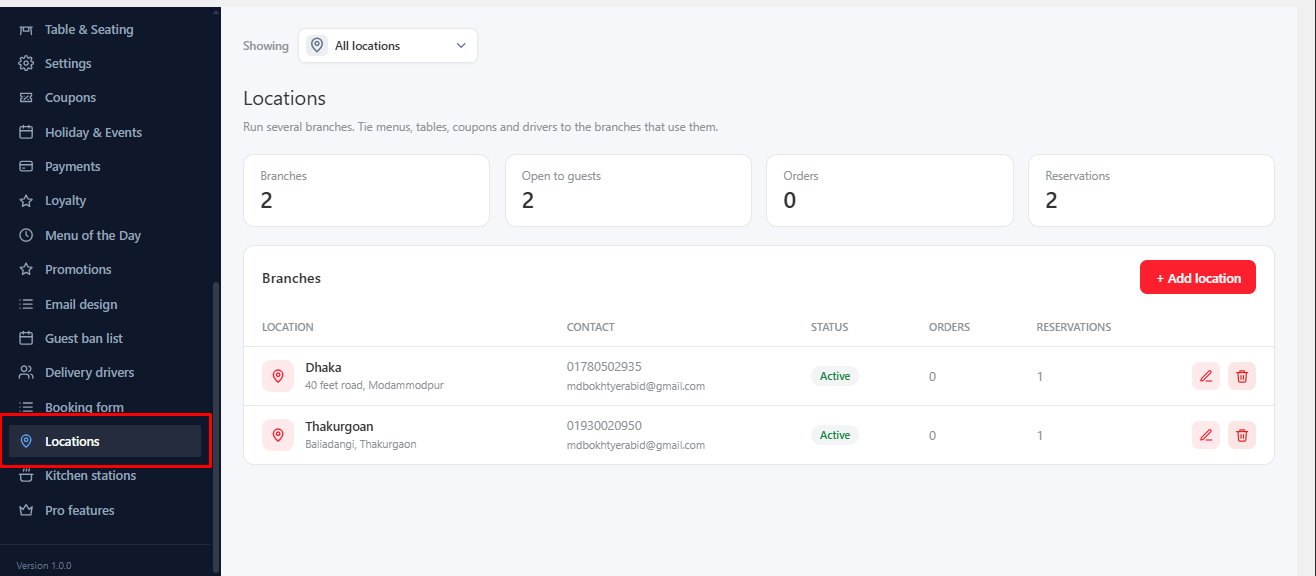
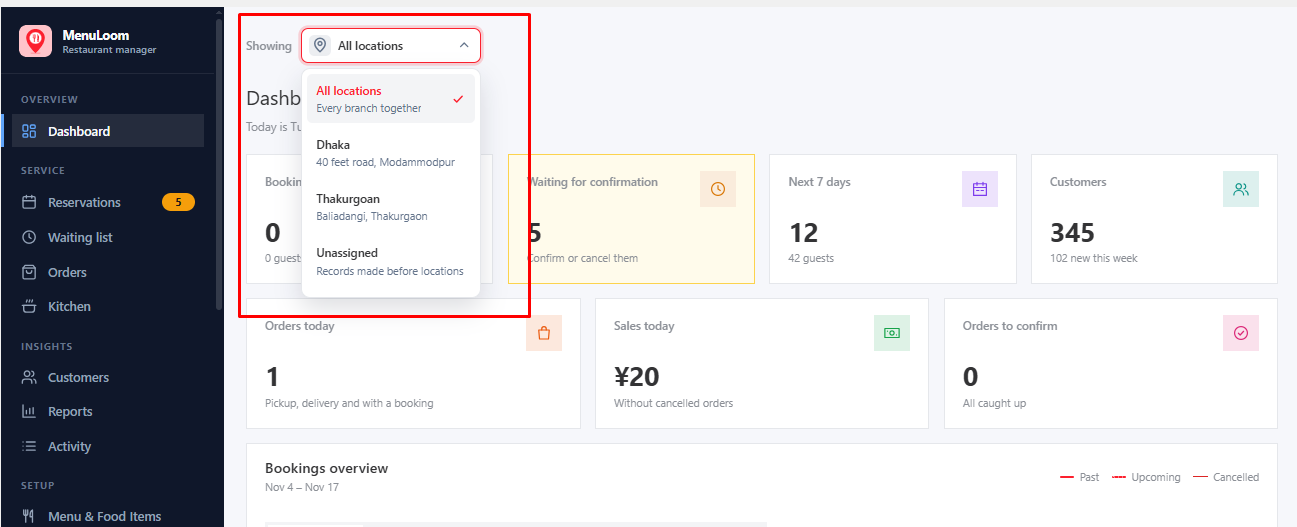
Once you have locations, a branch picker appears at the top of the admin. Choose All locations, one branch, or records without a branch. Reservations, orders, reports and the other lists then show that branch only.
Many things can be tied to chosen branches: menus, categories, food items, add-on groups, tables, areas, coupons, drivers and special events. Anything not tied to a branch is available at every branch.
A location that still has things linked to it cannot be deleted.
Was this article helpful?Thanks for your feedback.